


Wizard of Bingo
4.712.31K Reviews
App Specs
- Version
- 20.10.200
- Updated On
- License
- Free
- Downloads
- 1,000,000+
- Developer
- Dynamic Games Ltd.
- Categories
- Board
- Platform
- Android
Screenshots
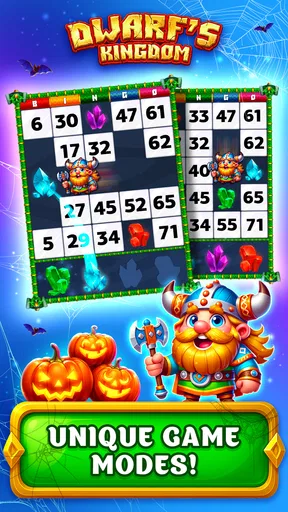
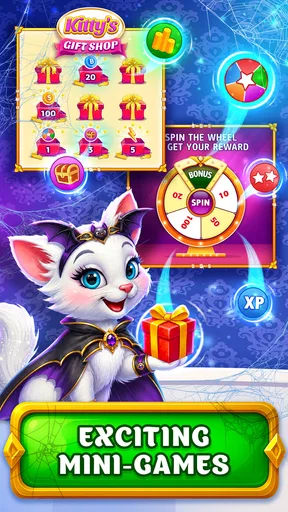
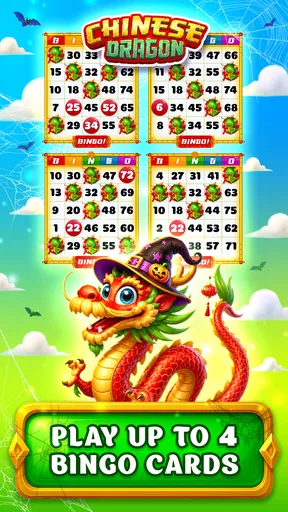
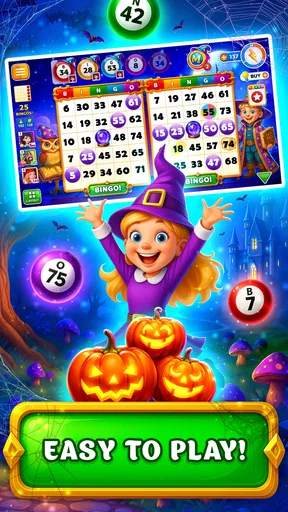
 Analysis by AppCompare
I approach Wizard of Bingo as a casual board game first: its appeal is the familiar rhythm of watching numbers, marking cards and hoping a pattern comes together, with a fantasy presentation wrapped around that routine. It is free to start, so it is easy to try during a spare moment rather than commit to a paid game up front. The important question, though, is whether the magic makes ordinary bingo more enjoyable for you—or whether you would rather have a simpler, quieter version.
What the purchase details mean in practice
Dynamic Games Ltd. has made a free-to-download bingo game with optional in-app purchases priced from $0.99 to $199.99 per item. That range is worth noticing before you play: it tells me purchases are part of the game’s setup, but it does not tell me what any particular item contains or whether spending is necessary to enjoy a round. I would treat buying as optional and decide on a personal limit before tapping any offer, especially if the game is being played by a teenager.
The game is rated Teen, has a 4.7 average from around 61,000 ratings, and has been installed over a million times. Those figures suggest a sizeable audience and a positive overall reception, but they cannot tell you whether its pace, social elements or purchase prompts will suit your own habits. It first appeared on August 28, 2016, and version 20.2.1 is the current release. On Android, the stated minimum operating-system requirement is version 7.0.
How to keep rounds comfortable
Bingo is partly a game of attention: numbers arrive while you decide what to mark, and a busy screen or a momentary distraction can make the round feel more pressured than relaxing. I would start with a short session and learn the pace before trying to juggle more cards or chase a particular result. That is a practical way to find out whether the game feels like light entertainment or demands more focus than you want to give it.
A useful habit is to separate “I want another round” from “I need to spend to keep going.” If a purchase offer appears, pausing to consider whether you are still enjoying the game without it is more reliable than deciding in the middle of a frustrating streak. I also would not treat power-ups or a near-win as evidence that a purchase will improve the outcome. The verified purchase details establish that paid items exist, not how they affect any individual round.
Fairness, competition and what remains unclear
The published details confirm that the game has in-app purchases, but they do not establish whether paid items change competitive results, how opponents are matched, or how any tournament standings are determined. I would therefore avoid assuming either that spending creates an advantage or that every contest is strictly equal. If competitive fairness is the main reason you play bingo, those unanswered points matter more than the fantasy theme, and a straightforward offline bingo game may be a better fit.
The same caution applies to social play. The earlier experience described chat, gifts, tournaments and events, but those observations do not answer practical questions such as what controls are available for conversation or how often events run. If you prefer a game with no interaction with strangers, choose a solo option instead; if you do try the social side, use ordinary care with personal information and purchases.
Worth Reading Before You Choose

EA SPORTS FC Mobile 26 Is a Bigger Football Game, but It Takes Time

Flipboard Shows What News Apps Must Do Beyond the Feed

Switching to Android Auto Means Rethinking Your Driving Routine

Google Calendar Makes a Crowded Week Easier to Manage

Ludo King Makes the Most of the Minutes Between Plans

Baby Panda World Brings Quick Play to Modern Phones, but Its Game Library Feels Busy
Who is likely to enjoy it
I can see this working well for someone who likes bingo’s easy-to-understand rules but wants a more colourful, game-like setting than a plain number caller. It is also a reasonable pick for short breaks when you are happy to pay attention to a round rather than play something completely passive. If you are choosing for a teenager, the Teen rating and the availability of purchases are both worth discussing beforehand.
It is less suitable if you want a completely quiet game, dislike purchase prompts, or prefer competition whose rules and matchmaking are transparent before you join. A basic bingo app may be better when all you want is the traditional card-and-number experience; a different board game may suit you more if you want decisions to matter more than chance. The best choice depends on whether you value presentation and optional extras or simplicity and predictability.
First Impressions of the Magical World
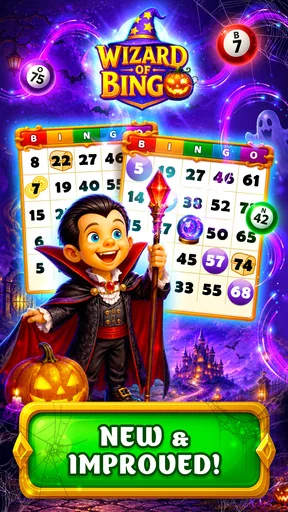
From the moment I opened Wizard of Bingo, I was greeted with vibrant graphics and a whimsical soundtrack that immediately set the tone. The interface is user-friendly, making it easy for both seasoned bingo players and newcomers to navigate. The app's design is reminiscent of a fantasy world, complete with wizards, spells, and mystical creatures.
Gameplay and Features
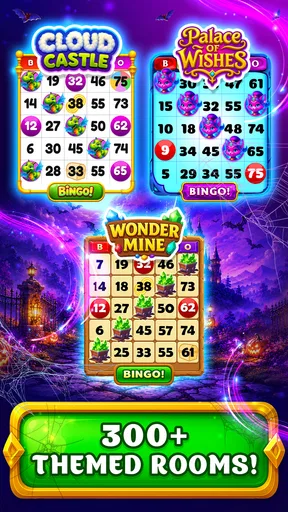
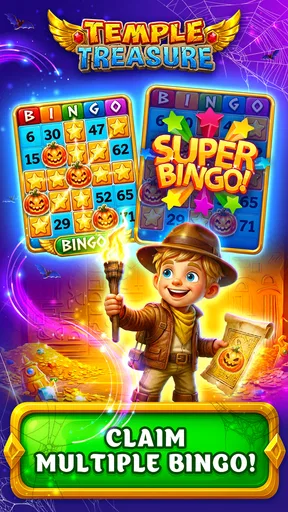
The heart of any bingo game lies in its gameplay, and this app doesn’t disappoint. You start with a few basic cards, and as you progress, you unlock more complex levels, each with its own unique challenges and rewards. The game is packed with a variety of rooms, each offering different themes and magical elements.
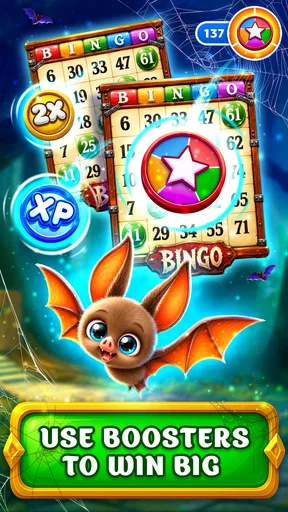
One of my favorite features is the power-ups. These are not your ordinary bingo boosts; think magic wands that daub multiple numbers or potions that increase your chances of winning. Collecting these power-ups adds an exciting twist to the traditional bingo game, and trust me, they come in handy when you’re one number away from a bingo!
Social Interaction
What’s a game without a bit of social interaction, right? Wizard of Bingo offers a chat feature that allows you to connect with other players worldwide. It’s fun to share tips, exchange gifts, and even engage in friendly banter. Plus, there are tournaments and events where you can compete against others and showcase your skills.
In practice, I would treat that social layer as an option rather than the main reason to install it. Chat can make a bingo session feel more communal, but it also changes the game from a private pastime into a shared space. I would keep messages light, avoid sharing identifying details, and use the game’s social features only when I wanted company. If I were handing a device to a younger player, I would first agree on sensible boundaries around chat and any purchase decisions.
In-App Purchases and Ads
Like many free apps, Wizard of Bingo does include in-app purchases. While you can enjoy the game without spending a dime, there are tempting offers for buying coins or unlocking special items. The ads are present but not overwhelmingly intrusive. They pop up occasionally, giving you a breather between intense bingo rounds.
For a practical test, I would play a few sessions without buying anything and notice whether I still enjoy the basic loop. That tells you more about your own fit than an impulse purchase does. If you decide to spend, check the item and total carefully before confirming; the listed price range alone does not reveal the value of a particular offer or how long its benefit lasts. This is a free game with paid options, not a purchase that settles every cost in advance.
Making the most of a short session
A realistic use case is a ten-minute wait before an appointment: open the game, play at a pace you can follow, and stop when the appointment is called rather than stretching a break into a longer session. Bingo’s number-calling rhythm can fit that window, but only if you are comfortable putting a round aside when life interrupts. I would avoid starting when I need to monitor something closely, since a missed call or number can make the session less satisfying.
One small workflow that helps is to decide the purpose of a session before opening the game. If I just want to unwind, I focus on one manageable round and ignore competitive pressure; if I want to explore the fantasy presentation, I take time to look around rather than rushing toward rewards. Those are different kinds of play, and mixing them with a spending goal can make a casual game feel like a task.
Where it sits among bingo and board games
Compared with a bare-bones digital bingo caller, this game puts more emphasis on its magical world, progression and extra game elements. That can make repeated rounds feel less plain, particularly for players who enjoy themed rooms and power-ups. The trade-off is that a simpler bingo app is usually the clearer choice when you want fewer distractions and only the traditional draw-and-mark routine. Neither approach is automatically better; it depends on whether the surrounding game layer adds fun or clutter for you.
It is also different from strategy-heavy board games. Bingo still leans strongly on chance, even when a power-up gives you another way to engage with a round. I would choose a tactical board game if I wanted every turn to hinge on planning, and choose this one when the appeal is quick recognition, anticipation and a little spectacle. That distinction helps set expectations: the fantasy framing spices up bingo, but it does not make it a deep strategy game.
Compatibility and choosing a device
The game is described as running on Android and iOS, while Android users need version 7.0 or later. Its current version is 20.2.1. I would still check that the particular device has enough room and that the app behaves comfortably on its screen before settling into longer sessions; a minimum operating-system requirement does not by itself promise the same experience on every device. The earlier play experience was smooth, but performance can vary with a device and its setup.
If you are deciding whether to install it, the practical answer is simple: it costs nothing to begin, so you can test whether the pace and presentation suit you before considering any optional purchase. I would skip it if I wanted a guaranteed no-spend experience with no social layer, or if I found bingo’s luck-driven rhythm frustrating. For someone who enjoys casual bingo and wants a fantasy wrapper around it, the combination is more distinctive than a plain digital card, provided the extra elements feel like entertainment rather than pressure.
Final Thoughts
So, is Wizard of Bingo worth a download? Absolutely! It’s a delightful blend of strategy, luck, and a sprinkle of magic. Whether you’re a bingo enthusiast or just looking for a fun way to pass the time, this app offers something for everyone. The magical theme adds a unique twist that keeps the game fresh and engaging.
In conclusion, if you’re ready to embark on a mystical bingo journey, head over to your app store and give Wizard of Bingo a try. Just be warned – once you start, it’s hard to put your phone down!
Pros
- Engaging graphics and animations.
- Variety of bingo rooms available.
- Frequent updates with new features.
- Offers daily bonuses and rewards.
- User-friendly interface for easy navigation.
Cons
- Contains in-app purchases.
- Requires internet connection.
- Ads can be intrusive at times.
- Limited offline gameplay options.
- Notifications can be overwhelming.
FAQs for Wizard of Bingo
What is Wizard of Bingo, and how does it differ from other bingo games?
Wizard of Bingo is a magical-themed bingo game that combines classic bingo gameplay with enchanting graphics and unique power-ups. Unlike traditional bingo apps, Wizard of Bingo offers special spells and abilities that can be used to increase your chances of winning, making it a more interactive and strategic experience.
Is Wizard of Bingo free to play, or are there in-app purchases?
Wizard of Bingo is free to download and play, but it does offer in-app purchases. These purchases can include additional power-ups, extra bingo cards, or special event entries. While the game can be enjoyed without spending money, purchasing these items can enhance your gameplay experience.
What are the system requirements for Wizard of Bingo on Android and iOS?
Wizard of Bingo requires Android 5.0 or later and iOS 11.0 or later. The game is optimized for both phones and tablets, ensuring smooth performance across various devices. Make sure to have a stable internet connection for the best experience, as online multiplayer features are available.
Does Wizard of Bingo offer multiplayer or social features?
Yes, Wizard of Bingo includes multiplayer and social features. Players can join bingo rooms with friends or compete against others globally. The app also includes leaderboards and social sharing options, allowing you to connect with friends and showcase your achievements and high scores.
Are there any special events or rewards in Wizard of Bingo?
Wizard of Bingo hosts regular special events and tournaments that offer unique rewards. These events often include limited-time themes, exclusive power-ups, and bonus coins. Participating in these events can help you earn rare items and climb the leaderboards for additional prestige among players.


